Community member
You want a recognizable character across group chats without placing text inside the image.
Keep the face central and use one distinctive jacket color; reject versions whose expression disappears at small sizes.
Anime avatar guide
Start with a clear face, a simple background and one visual direction. This guide helps you plan an anime profile picture that remains recognizable when a platform displays it as a tiny circle.
A useful prompt starts with decisions about identity and framing, not a long list of effects. Prepare these details before trying a pfp maker.
Decide whether the avatar should resemble a real person or represent an original character. If using a photo, choose one with an unobstructed face and permission to use it.
Write down the hairstyle, expression, clothing color and one distinctive detail. Keep those traits consistent across attempts so you can judge what actually changed.
Ask for a centered head-and-shoulders composition with space around the hair. Leave fine text and small props out; they seldom survive a circular crop.
Imagine making an avatar for a chat community: begin with a friendly expression, add a blue jacket and request clean linework against a pale background. Then inspect it at thumbnail size.
You want a recognizable character across group chats without placing text inside the image.
Keep the face central and use one distinctive jacket color; reject versions whose expression disappears at small sizes.
Your avatar must read clearly beside messages and on a crowded channel page.
Favor a bold silhouette over detailed scenery. Compare a photo-led approach with the broader generation ideas in the linked guide.
You have a written character description but no portrait to use as a reference.
Keep two or three defining traits fixed while testing expressions; the linked guide covers the wider AI portrait workflow.
You prefer an illustrated likeness to a conventional headshot.
Decide how closely the result should resemble you before experimenting. The linked guide explains another starting point for generated profile images.
The key choice is what the portrait should preserve. Neither route guarantees a faithful likeness, so judge the visible image rather than the wording of the prompt.
| Photo-led portrait | Character-led portrait | |
|---|---|---|
| Starting material | A photo you have permission to use | A written character description |
| Primary goal | Keep recognizable facial traits | Build a distinct illustrated identity |
| Prompt priority | Specify which traits must remain | Specify hair, expression and silhouette |
| Common mismatch | Face may drift from the reference | Traits may vary between attempts |
| Background choice | Plain color that separates the face | Plain color that supports the character |
| Final check | Compare likeness and crop | Compare consistency and crop |
A pfp maker can produce an attractive image that still performs poorly as an avatar. Review the failure that matters for your intended surface.
Chat icon
A full-body pose or elaborate background can make the face unreadable. Preview the image as a small circle, then simplify the composition if the eyes and expression no longer register.
Creator profile
Heavy effects may obscure the traits your audience associates with you. For a photo-led anime look, compare the result with your reference and name only the features you want preserved in the next attempt.
Original character
A vague prompt leaves too much room for variation. Record a short description of fixed traits and reuse it when testing a new expression or background.
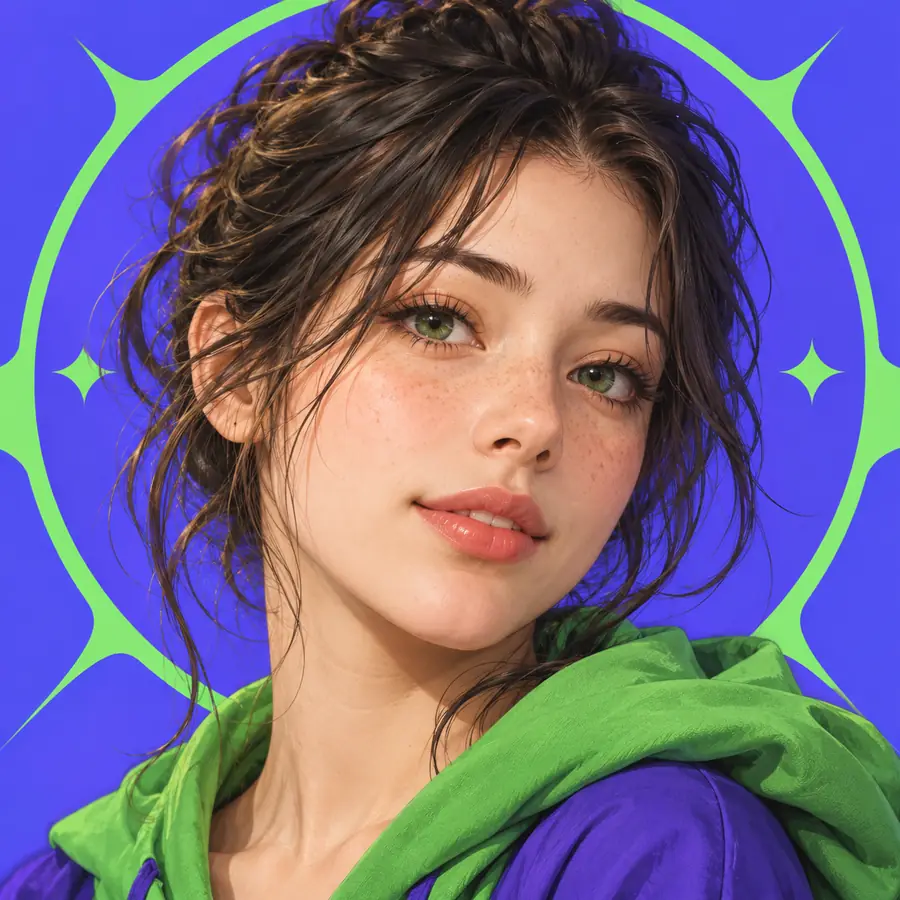
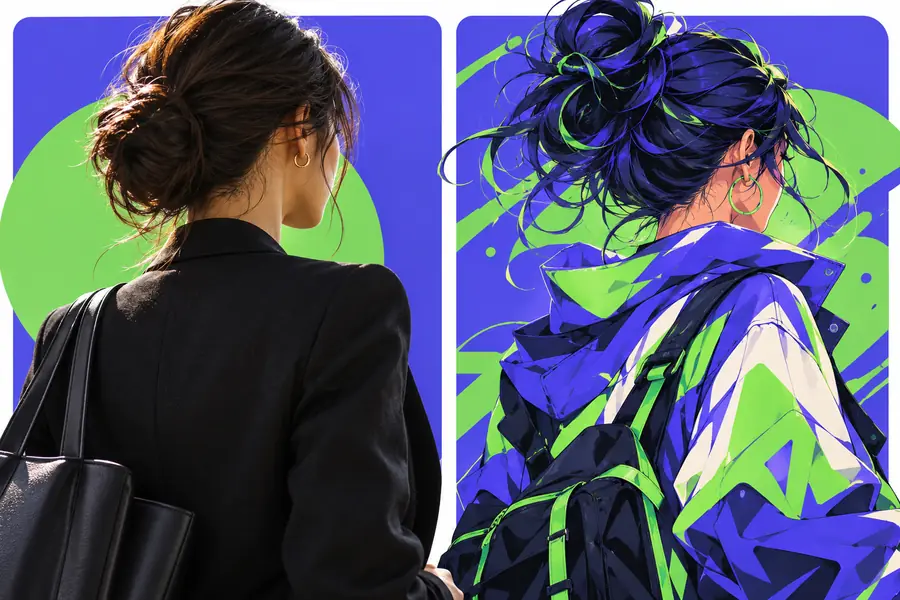
These are illustrative profile-picture examples, not a guaranteed before-and-after anime conversion. Compare face placement, background contrast and how much detail would remain in a small crop.
Portrait referenceAvatar reviewGive pfp maker a clear subject, a short list of defining traits and an uncluttered background. Review any result for likeness, consistency and circular-crop readability before using it as your profile picture.
Start with a photo you have permission to use and identify the features you most want to preserve, such as hairstyle or face shape. Compare the visible result with the reference; an anime treatment can change recognizable details.
Describe the subject, expression, hairstyle, framing and background in plain language. A short list of defining traits is easier to assess than a prompt filled with competing styles and accessories.
You can begin with a written description of an original character. Specify a few traits you want to keep consistent, then review each result rather than assuming later versions will preserve them.
Platforms often show profile pictures at small sizes and may crop them into circles. Move the face toward the center, remove distracting background details and check a reduced preview before choosing the image.